Category: Convert Tools

  • How to Convert Bytes to Mbps (Formula, Chart & FAQs)

    How to Convert Bytes to Mbps (Formula, Chart & FAQs)

    If you’re looking for a quick answer, here it is:

    You can’t directly convert bytes to Mbps unless you include time.

    Why? Because:

    • Bytes (B) measure data size
    • Mbps (megabits per second) measure data transfer speed

    So the correct way to convert is:

    Mbps = (Bytes × 8) ÷ Time (in seconds) ÷ 1,000,000

    That’s the core idea. But once you understand why this works, converting between bytes and Mbps becomes easy—and extremely useful in real-world situations like internet speed, downloads, and file transfers.

    Let’s break it down step by step.

    Understanding the Basics: Bytes vs Mbps

    Before jumping into formulas, it’s important to understand what each unit actually represents.

    What Are Bytes?

    A byte (B) is a unit of data storage.

    • 1 byte = 8 bits
    • Files like photos, videos, and documents are measured in bytes (KB, MB, GB)

    What Is Mbps?

    Mbps (megabits per second) is a unit of data transfer speed.

    • Used by internet providers (e.g., 100 Mbps internet plan)
    • Measures how fast data moves

    Here’s the key difference:

    • Bytes = how much data you have
    • Mbps = how fast that data moves

    That’s why time is required to convert between them.

    The Key Conversion Rule

    Bytes to Mbps Converter

    Bytes to Mbps Converter

    Convert bytes into megabits per second easily.

    Result will appear here
    Formula used:
    Mbps = (Bytes × 8) ÷ 1,000,000

    To convert bytes to Mbps, you need three steps:

    1. Convert bytes to bits (multiply by 8)
    2. Divide by time in seconds
    3. Convert bits to megabits (divide by 1,000,000)

    So the formula becomes:

    Mbps = (Bytes × 8) ÷ Seconds ÷ 1,000,000

    This is the most accurate and widely used formula.

    Simple Example (Real-World)

    Let’s say you download a file:

    • File size: 10 MB (megabytes)
    • Time taken: 2 seconds

    Step 1: Convert MB to bytes
    10 MB = 10,000,000 bytes

    Step 2: Convert bytes to bits
    10,000,000 × 8 = 80,000,000 bits

    Step 3: Divide by time
    80,000,000 ÷ 2 = 40,000,000 bits/sec

    Step 4: Convert to Mbps
    40,000,000 ÷ 1,000,000 = 40 Mbps

    So your speed is 40 Mbps.

    Shortcut Formula (Much Easier)

    If your data is already in megabytes (MB), you can use this shortcut:

    Mbps = (MB × 8) ÷ Seconds

    Example:

    10 MB downloaded in 2 seconds:

    (10 × 8) ÷ 2 = 40 Mbps

    Much simpler, right?

    Bytes vs Bits: The Most Common Confusion

    This is where most people get tripped up.

    • 1 byte = 8 bits
    • Internet speed uses bits, not bytes

    So:

    • 1 MB (megabyte) = 8 Mb (megabits)

    That means:

    A 100 Mbps connection ≠ 100 MB per second

    Instead:

    100 Mbps ÷ 8 = 12.5 MB per second

    This explains why downloads often seem slower than advertised.

    Quick Conversion Table

    Here’s a simple reference:

    Data SizeTimeSpeed (Mbps)
    8 MB1 sec64 Mbps
    10 MB2 sec40 Mbps
    50 MB5 sec80 Mbps
    100 MB10 sec80 Mbps

    Use this as a quick mental check.

    Real-Life Applications

    Understanding bytes to Mbps isn’t just technical—it’s incredibly practical.

    1. Checking Internet Speed

    When you run a speed test, results are in Mbps.

    But when you download files, they’re in MB.

    Knowing the conversion helps you verify if your internet is performing as expected.

    2. Estimating Download Time

    If you know your speed, you can estimate how long a file will take to download.

    Example:

    • File: 800 MB
    • Speed: 100 Mbps

    Convert speed:

    100 Mbps ÷ 8 = 12.5 MB/sec

    Time:

    800 ÷ 12.5 = 64 seconds

    3. Streaming and Gaming

    Streaming platforms recommend speeds in Mbps.

    Understanding how that relates to actual data usage helps you choose the right plan.

    Mbps vs MBps (Important Difference)

    This is a critical distinction:

    • Mbps (megabits per second) → lowercase “b” = bits
    • MBps (megabytes per second) → uppercase “B” = bytes

    And remember:

    1 MBps = 8 Mbps

    This small detail can cause big misunderstandings.

    Binary vs Decimal Units (Advanced Insight)

    There are two systems for measuring data:

    Decimal (Used by Internet Providers)

    • 1 MB = 1,000,000 bytes
    • 1 Mbps = 1,000,000 bits

    Binary (Used by Computers)

    • 1 MiB = 1,048,576 bytes

    For most everyday conversions, you can safely use decimal values.

    Common Mistakes to Avoid

    Ignoring Time

    You cannot convert bytes to Mbps without time.

    Confusing Bytes and Bits

    Always remember:
    1 byte = 8 bits

    Misreading Units

    MB ≠ Mb
    Uppercase vs lowercase matters.

    Expecting Exact Speeds

    Real-world speeds are affected by:

    • Network congestion
    • Server limits
    • Hardware performance

    Practical Example You Can Relate To

    Let’s say you download a 1 GB file in 40 seconds.

    Step 1: Convert GB to MB
    1 GB = 1,000 MB

    Step 2: Apply formula
    (1000 × 8) ÷ 40 = 200 Mbps

    So your connection speed is roughly 200 Mbps.

    Quick Mental Math Trick

    Here’s a trick I use:

    • Multiply MB by 8
    • Divide by seconds

    That’s it.

    Example:

    20 MB in 4 seconds:

    (20 × 8) ÷ 4 = 40 Mbps

    No calculator needed.

    Frequently Asked Questions (FAQs)

    Can you convert bytes directly to Mbps?

    No. You need time because Mbps measures speed, not just data size.

    What is the formula to convert bytes to Mbps?

    Mbps = (Bytes × 8) ÷ Seconds ÷ 1,000,000

    How many Mbps is 1 MB per second?

    1 MB/s = 8 Mbps

    Why is internet speed measured in Mbps?

    Because it reflects how many bits are transferred per second, which is standard for network performance.

    What is the difference between MB and Mbps?

    • MB = megabytes (data size)
    • Mbps = megabits per second (speed)

    How do I calculate download speed from file size?

    Use:
    (MB × 8) ÷ seconds

    Why is my download speed lower than my internet plan?

    Because:

    • Plans are in Mbps
    • Downloads are shown in MB/s
    • Plus network overhead and real-world factors

    Is Mbps faster than MB/s?

    They measure different things.
    But numerically:
    1 MB/s = 8 Mbps

    How long does it take to download 100 MB at 50 Mbps?

    Convert speed:

    50 ÷ 8 = 6.25 MB/s

    Time:

    100 ÷ 6.25 = 16 seconds

    What’s the easiest way to estimate speed?

    Multiply MB by 8 and divide by time in seconds.

    Final Thoughts

    So, how do you convert bytes to Mbps?

    The key takeaway is simple:

    You need both data size and time.

    Once you understand that:

    • Convert bytes to bits
    • Divide by time
    • Convert to megabits

    Or use the shortcut:

    (MB × 8) ÷ seconds

    From checking your internet speed to estimating download times, this conversion is one of the most useful things you can learn in today’s digital world.

    And once you practice it a few times, it becomes second nature—just like checking your Wi-Fi signal.
  • 1L to dL Explained: Quick Conversion + Practical Examples

    1L to dL Explained: Quick Conversion + Practical Examples

    If you’re looking for a quick answer, here it is:

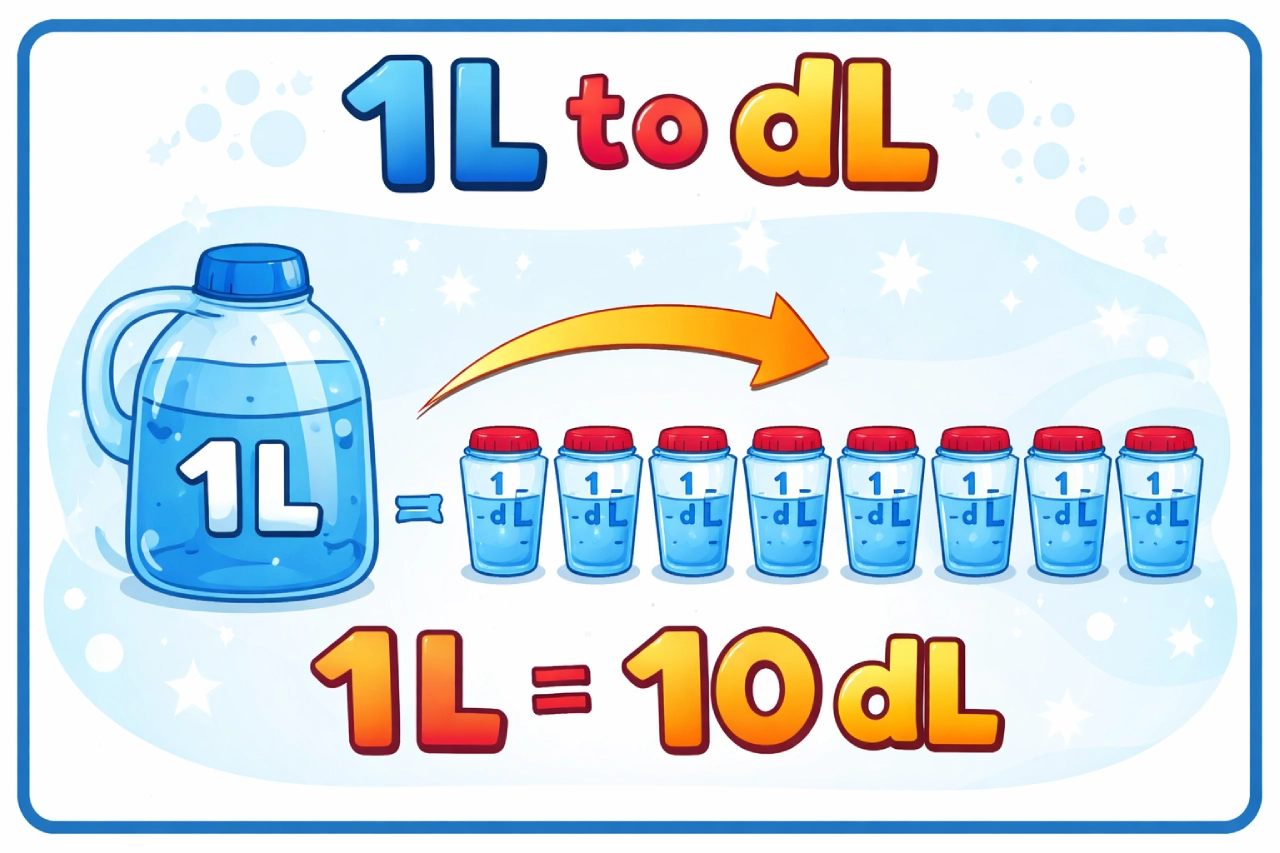
    1 liter (1 L) = 10 deciliters (10 dL)

    That means if you have 1L, you automatically have 10 dL—no complicated math required.

    But if you want to understand why this works, how to apply it in real-life situations, and how to convert other values just as easily, this guide will walk you through everything in a clear and practical way.

    Understanding the Basics: Liters vs Deciliters

    Both liters (L) and deciliters (dL) are units of volume in the metric system—the same system used in science, medicine, and most countries worldwide.

    A liter is a standard unit used for measuring liquids like:

    • Water bottles
    • Milk cartons
    • Fuel and beverages

    A deciliter is a smaller unit. The prefix “deci-” means one-tenth, which tells you exactly how it relates to a liter.

    So:

    • 1 dL = 0.1 L
    • 10 dL = 1 L

    That’s why the conversion is so simple.

    The Key Conversion Rule

    1L to dL Converter

    Liters to Deciliters Converter

    Enter a value in liters (L) to instantly convert it into deciliters (dL).

    Result will appear here
    Formula: 1 liter = 10 deciliters

    Here’s the rule you need to remember:

    1 L = 10 dL

    Or more generally:

    dL = L × 10

    So whenever you convert liters to deciliters, you just multiply by 10.

    Why This Conversion Is So Easy

    The reason this works so smoothly is because the metric system is based on powers of 10.

    Unlike imperial units (which can be confusing), metric conversions follow a consistent pattern:

    • Multiply or divide by 10
    • Move the decimal point

    That’s it.

    This is why conversions like 1L to dL are among the easiest you’ll ever do.

    Visualizing 1L to dL

    Let’s make this more relatable.

    Imagine a 1-liter bottle of water.

    Now divide that bottle into 10 equal parts.

    Each part is:

    1 deciliter (dL)

    So:

    • 1 full bottle = 10 dL
    • Half a bottle = 5 dL
    • A quarter bottle = 2.5 dL

    This mental image makes the conversion much easier to remember.

    Quick Examples Using 1L to dL

    Even though this article focuses on 1 liter, understanding a few variations helps build confidence.

    Example 1: 1 L to dL

    1 × 10 = 10 dL

    Example 2: 1.5 L to dL

    1.5 × 10 = 15 dL

    Example 3: 0.3 L to dL

    0.3 × 10 = 3 dL

    Once you see the pattern, it becomes automatic.

    Quick Conversion Table

    Here’s a simple reference table you can use:

    Liters (L)Deciliters (dL)
    1 L10 dL
    1.5 L15 dL
    2 L20 dL
    5 L50 dL
    10 L100 dL

    This is helpful when you need quick answers without calculating.

    Real-Life Uses of 1L to dL Conversion

    You might think this is just basic math, but it actually comes up more often than you’d expect.

    Cooking and Baking

    Many European recipes use deciliters instead of cups or milliliters.

    For example:

    • 1 L of milk = 10 dL
    • 0.5 L = 5 dL

    If you’ve ever followed an international recipe, this conversion becomes essential.

    Medical Measurements

    Deciliters are commonly used in medical contexts.

    For example:

    • Blood sugar levels are measured in mg/dL (milligrams per deciliter)

    Understanding what a deciliter represents helps you interpret these values correctly.

    Everyday Liquid Measurements

    Some product labels or containers may use different units.

    Knowing that 1L = 10 dL helps you compare quantities easily.

    Mental Math Trick You’ll Actually Use

    Here’s the easiest trick:

    Move the decimal point one place to the right

    That’s it.

    Examples:

    • 1.0 L → 10 dL
    • 1.2 L → 12 dL
    • 0.7 L → 7 dL

    No calculator needed.

    Converting Back: dL to L

    Sometimes you’ll need to reverse the conversion.

    Here’s the formula:

    L = dL ÷ 10

    Or simply:

    Move the decimal one place to the left

    Examples:

    • 10 dL → 1 L
    • 25 dL → 2.5 L
    • 8 dL → 0.8 L

    How 1L Fits Into the Bigger Metric System

    Understanding where liters and deciliters sit in the metric system helps everything make sense.

    • 1 L = 10 dL
    • 1 L = 100 cL (centiliters)
    • 1 L = 1,000 mL (milliliters)

    So:

    • 1 dL = 100 mL
    • 5 dL = 500 mL

    This helps when switching between different units.

    Common Mistakes to Avoid

    Even though this is a simple conversion, a few mistakes still pop up.

    Confusing dL with mL

    • 1 dL = 100 mL
    • Don’t mix them up

    Moving the Decimal the Wrong Direction

    • L → dL = move right
    • dL → L = move left

    Overcomplicating It

    This is a base-10 conversion. Keep it simple.

    Practical Scenario: Cooking Example

    Let’s say a recipe calls for 10 dL of water, but your measuring jug is in liters.

    You convert:

    10 ÷ 10 = 1 L

    Now you know exactly how much to pour.

    This kind of quick conversion is incredibly useful in everyday life.

    Why the Metric System Makes Life Easier

    One thing I always appreciate about the metric system is its consistency.

    Everything is based on powers of 10, which means:

    • No weird fractions
    • No complex formulas
    • Easy mental calculations

    That’s why conversions like 1L to dL are so intuitive.

    When Accuracy Matters

    In some situations, even simple conversions need to be precise.

    Medical Use

    Incorrect conversions can lead to misinterpretation of results.

    Scientific Experiments

    Precision ensures reliable outcomes.

    Professional Cooking

    Exact measurements affect taste and consistency.

    In these cases, always double-check your values.

    Frequently Asked Questions (FAQs)

    How many deciliters are in 1 liter?

    There are 10 deciliters in 1 liter.

    What is 1L in dL?

    1L = 10 dL

    What is the formula to convert L to dL?

    dL = L × 10

    How do you convert 1 liter to deciliters quickly?

    Multiply by 10 or move the decimal one place to the right.

    Is 1 dL bigger than 1 L?

    No. A deciliter is smaller.
    1 dL = 0.1 L

    How many dL are in 0.5 L?

    0.5 L = 5 dL

    How do you convert dL back to liters?

    Divide by 10 or move the decimal one place to the left.

    Why is the metric system easier?

    Because it uses powers of 10, making conversions simple and consistent.

    Where are deciliters commonly used?

    In cooking, medicine, and scientific measurements.

    What is 1 dL in milliliters?

    1 dL = 100 mL

    Final Thoughts

    So, how much is 1L to dL?

    The answer is simple:

    1 liter = 10 deciliters

    Once you understand that, everything else becomes easy. Just multiply by 10—or move the decimal—and you’re done.

    It’s one of those conversions that feels almost effortless once you’ve used it a few times.

    And the best part? It works every single time, because the metric system is built to be simple.

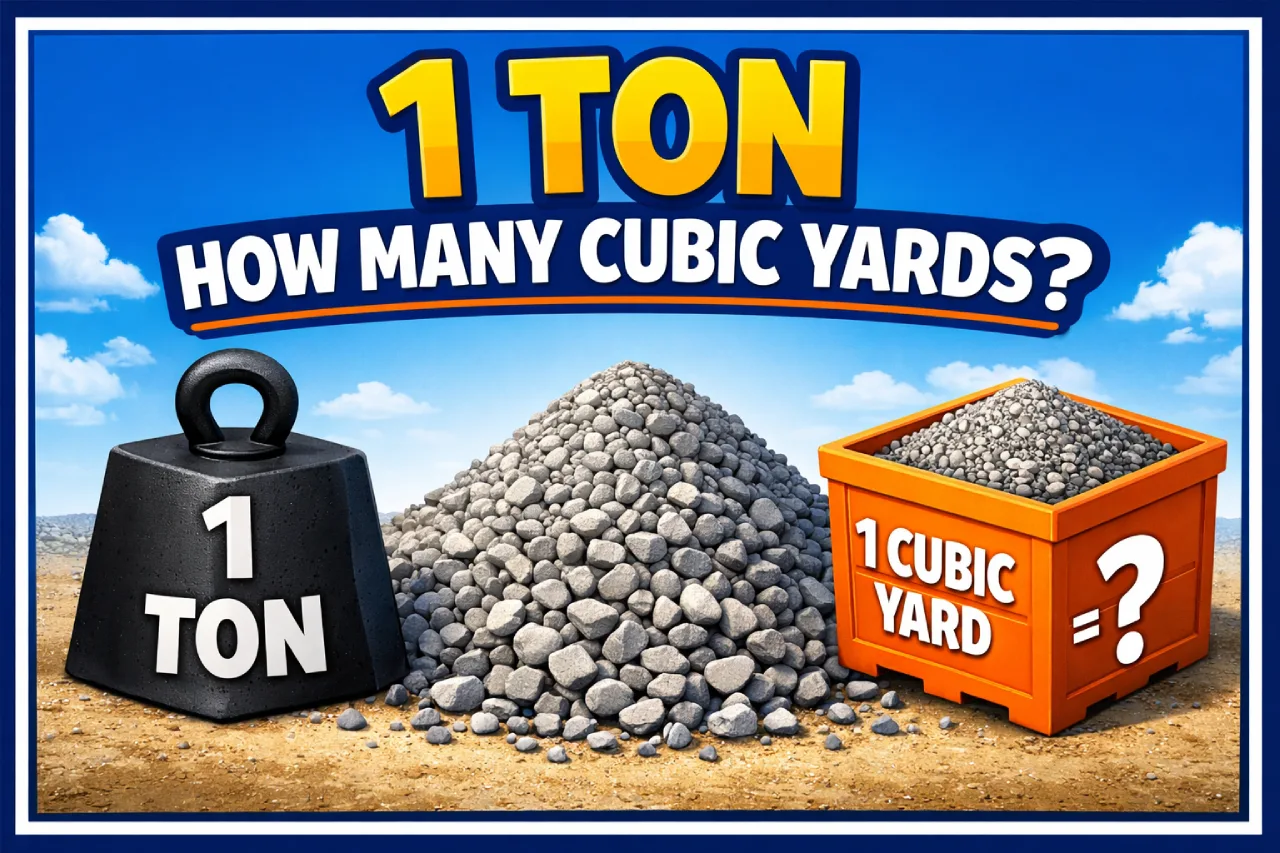
  • 1 Ton How Many Cubic Yards? Full Conversion Guide

    1 Ton How Many Cubic Yards? Full Conversion Guide

    If you’re looking for a quick answer, here it is:

    1 ton is NOT equal to a fixed number of cubic yards.

    Why? Because:

    • A ton measures weight (2,000 pounds)
    • A cubic yard measures volume (3 ft × 3 ft × 3 ft)

    To convert between them, you must know the density of the material.

    That said, here are common real-world estimates:

    • 1 ton of gravel ≈ 0.67 cubic yards
    • 1 ton of sand ≈ 0.74 cubic yards
    • 1 ton of topsoil ≈ 0.75 cubic yards
    • 1 ton of mulch ≈ 2.5–3.5 cubic yards

    Now let’s break this down so you can confidently calculate it for any material.

    Why There’s No Single Answer

    This is the biggest point most articles miss.

    You can’t directly convert tons to cubic yards because they measure different things:

    • Weight (tons) depends on how heavy something is
    • Volume (cubic yards) depends on how much space it takes up

    The missing piece is density, which tells you how much a material weighs per cubic yard.

    Think about it this way:

    A cubic yard of rocks is heavy.
    A cubic yard of mulch is light.

    Same volume, completely different weight.

    That’s why the answer changes depending on what you’re working with.

    The Simple Formula You Need

    Tons to Cubic Yards Converter

    Tons to Cubic Yards

    Convert tons into cubic yards by selecting a material density or entering your own.

    Result will appear here
    Formula: Cubic Yards = Tons ÷ Density

    Here’s the only formula you need to remember:

    Cubic Yards = Tons ÷ (Tons per Cubic Yard)

    This works for any material—as long as you know its density.

    For example:

    If gravel weighs 1.5 tons per cubic yard, then:

    1 ton ÷ 1.5 = 0.67 cubic yards

    That’s your answer.

    Common Materials and Their Conversions

    Let’s look at the most common materials used in construction and landscaping.

    Gravel

    • Average density: 1.4–1.7 tons per cubic yard
    • Conversion:
      1 ton ≈ 0.59–0.71 cubic yards

    Most people use:
    1 ton of gravel ≈ 0.67 cubic yards

    Sand

    • Average density: 1.3–1.5 tons per cubic yard
    • Conversion:
      1 ton ≈ 0.67–0.77 cubic yards

    Typical estimate:
    1 ton of sand ≈ 0.74 cubic yards

    Topsoil

    • Average density: 1.2–1.4 tons per cubic yard
    • Conversion:
      1 ton ≈ 0.71–0.83 cubic yards

    Common estimate:
    1 ton of topsoil ≈ 0.75 cubic yards

    Concrete (Crushed or Dry)

    • Average density: ~2 tons per cubic yard
    • Conversion:
      1 ton ≈ 0.5 cubic yards

    Heavier material = less volume per ton.

    Mulch

    • Average density: 0.2–0.4 tons per cubic yard
    • Conversion:
      1 ton ≈ 2.5–5 cubic yards

    Light material = much more volume.

    Quick Conversion Table

    Here’s a simple reference chart:

    MaterialTons per Cubic Yard1 Ton Equals
    Gravel1.50.67 yd³
    Sand1.350.74 yd³
    Topsoil1.30.77 yd³
    Concrete2.00.50 yd³
    Mulch0.33.33 yd³

    These are averages, but they’re accurate enough for most real-world projects.

    Real-Life Example: Gravel Calculation

    Let’s say you’re ordering gravel for a driveway.

    You’re told you need 1 ton of gravel.

    Using the average density:

    1 ÷ 1.5 = 0.67 cubic yards

    So, 1 ton of gravel gives you about two-thirds of a cubic yard.

    If you need more coverage, you’ll need more tons.

    Why Density Changes the Answer

    Density isn’t always the same. It can vary due to several factors.

    Moisture

    Wet materials weigh more.

    For example, wet sand is heavier than dry sand, which means:

    • Fewer cubic yards per ton when wet

    Compaction

    Loose material takes up more space than compacted material.

    Once compacted, the same material becomes denser.

    Material Type

    Even within the same category (like gravel), different sizes and compositions change the density.

    That’s why it’s always best to:

    • Ask your supplier for exact density
    • Or use industry averages with a small buffer

    Tons vs Cubic Yards: When to Use Each

    Tons (Weight)

    Used when:

    • Buying materials by weight
    • Transporting materials (truck limits are weight-based)

    Cubic Yards (Volume)

    Used when:

    • Measuring coverage area
    • Planning landscaping or construction

    In my experience, contractors often think in cubic yards, while suppliers may quote in tons.

    Quick Estimation Rules

    If you don’t know the exact density, here are simple rules that work surprisingly well:

    • Heavy materials (gravel, concrete):
      1 ton ≈ 0.5–0.7 cubic yards
    • Medium materials (sand, soil):
      1 ton ≈ 0.7–0.8 cubic yards
    • Light materials (mulch):
      1 ton ≈ 2–4 cubic yards

    These are perfect for quick planning.

    Common Mistakes to Avoid

    Assuming a Fixed Conversion

    There is no universal answer. Always consider the material.

    Ignoring Moisture

    Wet materials can significantly change weight and calculations.

    Not Ordering Extra

    Always add 5–10% extra to avoid running short.

    Confusing Units

    Cubic yards (volume) are not the same as square yards (area).

    Practical Example: Landscaping Project

    Let’s say you’re working on a garden bed and plan to use topsoil.

    You have:

    • 1 ton of topsoil
    • Density: 1.3 tons per cubic yard

    Calculation:

    1 ÷ 1.3 = 0.77 cubic yards

    So, 1 ton of topsoil gives you about 0.77 cubic yards.

    That helps you estimate how much area you can cover.

    Converting the Other Way (Yards to Tons)

    Sometimes you’ll need to reverse the calculation.

    Tons = Cubic Yards × Density

    Example:

    1 cubic yard of gravel × 1.5 = 1.5 tons

    Knowing both directions makes your planning much easier.

    Why This Conversion Matters

    Getting this wrong can lead to:

    • Ordering too much (wasting money)
    • Ordering too little (delays and extra delivery costs)
    • Miscalculating project coverage

    Whether you’re building a driveway, laying a patio, or landscaping a yard, understanding this conversion saves time, money, and frustration.

    Frequently Asked Questions (FAQs)

    How many cubic yards is 1 ton?

    It depends on the material. For example:

    • Gravel: ~0.67 cubic yards
    • Sand: ~0.74 cubic yards
    • Mulch: 2.5–3.5 cubic yards

    What is the formula to convert tons to cubic yards?

    Cubic Yards = Tons ÷ Density (tons per cubic yard)

    Is 1 ton equal to 1 cubic yard?

    No. They measure different things:

    • Ton = weight
    • Cubic yard = volume

    How many cubic yards is 1 ton of gravel?

    About 0.67 cubic yards, depending on density.

    How many cubic yards is 1 ton of sand?

    About 0.74 cubic yards, depending on moisture and type.

    Why does the number change for different materials?

    Because each material has a different density.

    How can I estimate quickly without exact data?

    Use rough averages:

    • Gravel: 0.67 yd³
    • Sand/soil: 0.75 yd³
    • Mulch: 3 yd³

    Should I always order extra material?

    Yes. Add 5–10% extra to avoid shortages.

    How do I get exact density values?

    Ask your supplier or check product specifications.

    What’s the biggest mistake people make?

    Assuming there’s a fixed conversion between tons and cubic yards.

    Final Thoughts

    So, 1 ton equals how many cubic yards?

    The honest answer is: it depends on the material.

    Once you understand the relationship between weight, volume, and density, the confusion disappears. With a simple formula and a few common estimates, you can calculate conversions quickly and accurately.

    And after a few projects, you won’t even need a calculator—you’ll just know.

  • How Many Yards in a Ton (Gravel, Sand, Soil Conversion Guide)

    How Many Yards in a Ton (Gravel, Sand, Soil Conversion Guide)

    If you’re looking for a quick answer, here it is:

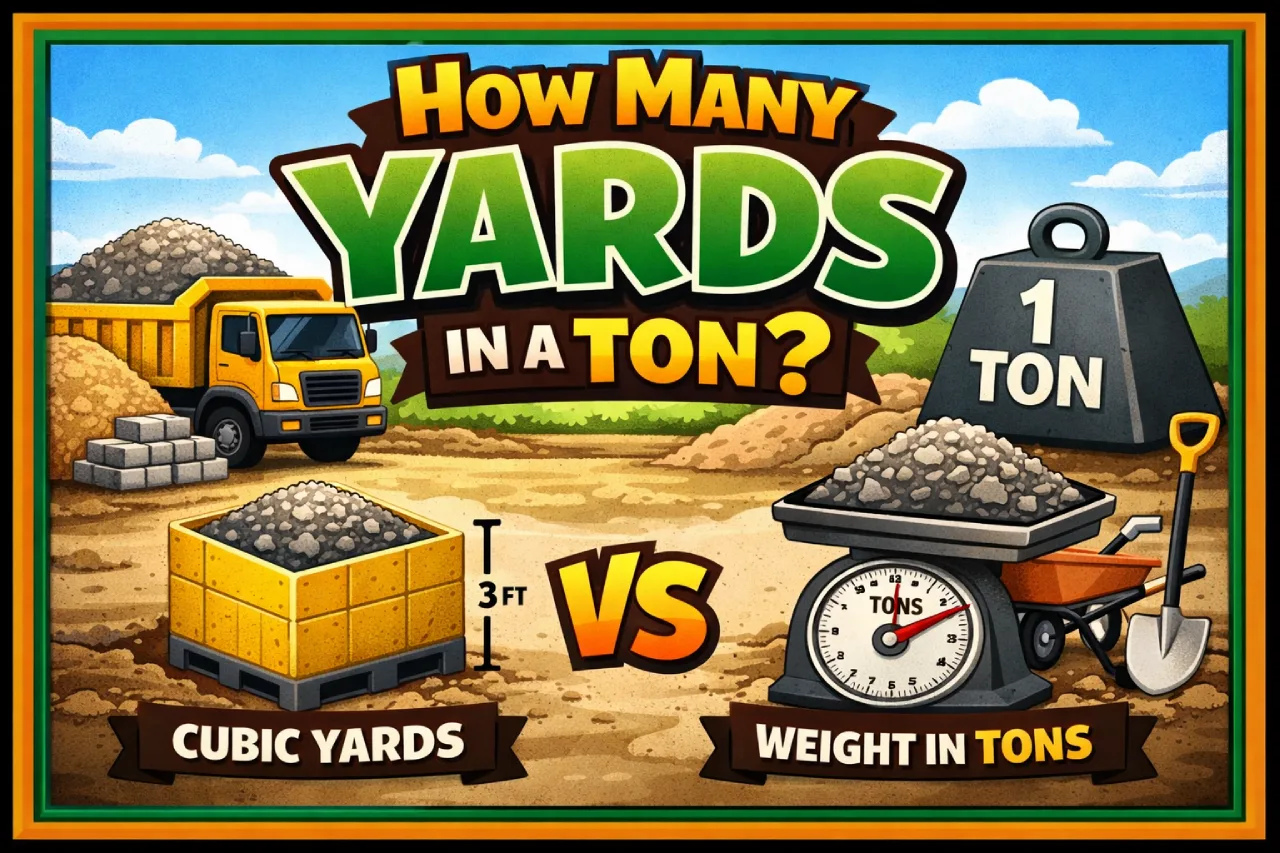
    There is no fixed number of yards in a ton.

    That’s because yards measure volume (cubic yards) and tons measure weight. To convert between them, you must know the density of the material you’re dealing with.

    In simple terms:

    Cubic Yards = Tons ÷ Density (tons per cubic yard)

    Once you understand that, everything else becomes much easier. Let’s break it down in a practical, real-world way so you can confidently convert tons to yards for gravel, soil, sand, concrete, and more.

    Why You Can’t Directly Convert Tons to Yards

    This is where most people get confused.

    A ton is a unit of weight (2,000 pounds in the U.S.), while a cubic yard measures volume (a 3 ft × 3 ft × 3 ft space).

    The missing link is density, which tells you how heavy a material is per unit of volume.

    For example:

    • A cubic yard of feathers weighs almost nothing
    • A cubic yard of gravel can weigh over a ton

    Same volume, completely different weight.

    That’s why the answer depends entirely on the material.

    The Basic Formula You Need

    Yards to Tons Converter

    Yards to Tons Converter

    Convert cubic yards to tons using the material’s density. Since different materials weigh differently, select a preset or enter a custom value.

    Your result will appear here
    Formula:
    Tons = Cubic Yards × Tons per Cubic Yard
    Example: 5 cubic yards of gravel × 1.4 = 7 tons

    Here’s the formula you’ll use every time:

    Cubic Yards = Tons ÷ (Tons per Cubic Yard)

    So if a material weighs 1.5 tons per cubic yard, then:

    1 ton ÷ 1.5 = 0.67 cubic yards

    This formula works for any material—as long as you know its density.

    Common Conversions by Material

    Let’s look at real-world examples. These are approximate averages used in construction and landscaping.

    Gravel

    • Density: ~1.4 to 1.7 tons per cubic yard
    • 1 ton ≈ 0.59 to 0.71 cubic yards

    A commonly used average:
    1 ton of gravel ≈ 0.67 cubic yards

    Sand

    • Density: ~1.3 to 1.5 tons per cubic yard
    • 1 ton ≈ 0.67 to 0.77 cubic yards

    Average:
    1 ton of sand ≈ 0.74 cubic yards

    Topsoil

    • Density: ~1.2 to 1.4 tons per cubic yard
    • 1 ton ≈ 0.71 to 0.83 cubic yards

    Average:
    1 ton of topsoil ≈ 0.75 cubic yards

    Concrete (Crushed or Dry)

    • Density: ~2.0 tons per cubic yard
    • 1 ton ≈ 0.5 cubic yards

    Concrete is heavier than most materials, so you get less volume per ton.

    Mulch

    • Density: ~0.2 to 0.4 tons per cubic yard
    • 1 ton ≈ 2.5 to 5 cubic yards

    Mulch is light, so a ton covers a much larger volume.

    Quick Reference Table

    Here’s a simple table you can use for quick estimates:

    MaterialTons per Cubic Yard1 Ton Equals (Cubic Yards)
    Gravel1.50.67 yd³
    Sand1.350.74 yd³
    Topsoil1.30.77 yd³
    Concrete2.00.50 yd³
    Mulch0.33.33 yd³

    These values are averages, but they’re accurate enough for most projects.

    Real-Life Example: Ordering Gravel

    Let’s say you need 3 tons of gravel for a driveway.

    Using the average:

    3 tons ÷ 1.5 = 2 cubic yards

    So you’d need about 2 cubic yards of gravel.

    This is why suppliers often ask whether you want your order in tons or cubic yards—it affects pricing and delivery.

    Why Density Changes Everything

    Density isn’t fixed. It can vary based on:

    Moisture Content

    Wet sand is heavier than dry sand. That changes the tons-per-yard value.

    Compaction

    Loose soil takes up more space than compacted soil. Once packed, the same material weighs more per cubic yard.

    Material Type

    Even within gravel, sizes and compositions vary, affecting density.

    Because of this, it’s always a good idea to:

    • Ask your supplier for their specific density
    • Add a small buffer (5–10%) to your estimate

    Tons vs Cubic Yards: When Each Is Used

    Tons (Weight)

    Used when:

    • Buying bulk materials by weight
    • Transporting materials (truck loads are weight-limited)

    Cubic Yards (Volume)

    Used when:

    • Measuring coverage area
    • Planning landscaping or construction projects

    In my experience, contractors often think in cubic yards, while suppliers may quote in tons.

    How to Estimate Without Exact Density

    If you don’t know the exact density, here’s a quick rule of thumb:

    • Heavy materials (gravel, concrete): 1 ton ≈ 0.5–0.7 cubic yards
    • Medium materials (sand, soil): 1 ton ≈ 0.7–0.8 cubic yards
    • Light materials (mulch): 1 ton ≈ 2–4 cubic yards

    These estimates are surprisingly reliable for quick planning.

    Common Mistakes to Avoid

    Assuming a Fixed Conversion

    There is no universal conversion between tons and yards. Always check the material.

    Ignoring Moisture

    Wet materials weigh more. This can throw off your calculations.

    Not Ordering Extra

    Running short can delay your project. It’s usually smart to order 5–10% extra.

    Mixing Units

    Don’t confuse square yards (area) with cubic yards (volume). They are completely different.

    Practical Scenario: Landscaping Project

    Let’s say you’re covering a garden bed and need:

    • 2 tons of topsoil
    • Density: 1.3 tons per cubic yard

    Calculation:

    2 ÷ 1.3 = 1.54 cubic yards

    You’d round up and order about 1.6 cubic yards.

    That small rounding ensures you don’t run out mid-project.

    Tons to Yards vs Yards to Tons

    You might also need to reverse the calculation.

    Tons to Yards

    Cubic Yards = Tons ÷ Density

    Yards to Tons

    Tons = Cubic Yards × Density

    Example:

    2 cubic yards of gravel × 1.5 = 3 tons

    Understanding both directions gives you full control over your estimates.

    Why This Matters More Than You Think

    Getting this conversion wrong can lead to:

    • Overpaying for materials
    • Running short during a project
    • Delivery issues (trucks overloaded or underfilled)

    Whether you’re working on a driveway, garden, or construction site, knowing how tons and yards relate can save both time and money.

    Frequently Asked Questions (FAQs)

    How many yards are in a ton?

    There is no fixed answer. It depends on the material’s density. For example, 1 ton of gravel is about 0.67 cubic yards, while 1 ton of mulch can be over 3 cubic yards.

    What is the formula to convert tons to cubic yards?

    Cubic Yards = Tons ÷ (Tons per Cubic Yard)

    How many cubic yards is 1 ton of gravel?

    On average, 1 ton of gravel ≈ 0.67 cubic yards.

    How many cubic yards is 1 ton of sand?

    Typically, 1 ton of sand ≈ 0.74 cubic yards, depending on moisture and type.

    Is a ton the same as a cubic yard?

    No. A ton measures weight, while a cubic yard measures volume. They are different types of units.

    How do I know the density of a material?

    You can:

    • Ask your supplier
    • Check product specifications
    • Use industry averages (as shown in this guide)

    Why does moisture affect the conversion?

    Water adds weight, increasing the tons per cubic yard. Wet materials are heavier than dry ones.

    How many yards is 2 tons of gravel?

    Using the average (1.5 tons per cubic yard):

    2 ÷ 1.5 = 1.33 cubic yards

    Should I order extra material?

    Yes. It’s recommended to order 5–10% extra to account for waste, compaction, or errors.

    What’s the easiest way to estimate quickly?

    Use rough averages:

    • Gravel: 1 ton ≈ 0.67 yards
    • Sand/soil: 1 ton ≈ 0.75 yards
    • Mulch: 1 ton ≈ 3 yards

    Final Thoughts

    So, how many yards are in a ton?

    The honest answer is: it depends on the material.

    Once you understand that tons measure weight and cubic yards measure volume, the confusion disappears. All you need is the material’s density, and you can convert confidently using a simple formula.

    From gravel driveways to garden beds, this knowledge helps you plan smarter, avoid costly mistakes, and get exactly the amount of material you need.

    And next time someone asks, “How many yards are in a ton?”—you’ll know the real answer isn’t just a number. It’s a concept.

  • Meters to Yards: Simple Conversion Formula, Examples & Chart

    Meters to Yards: Simple Conversion Formula, Examples & Chart

    If you just need a quick answer, here it is:

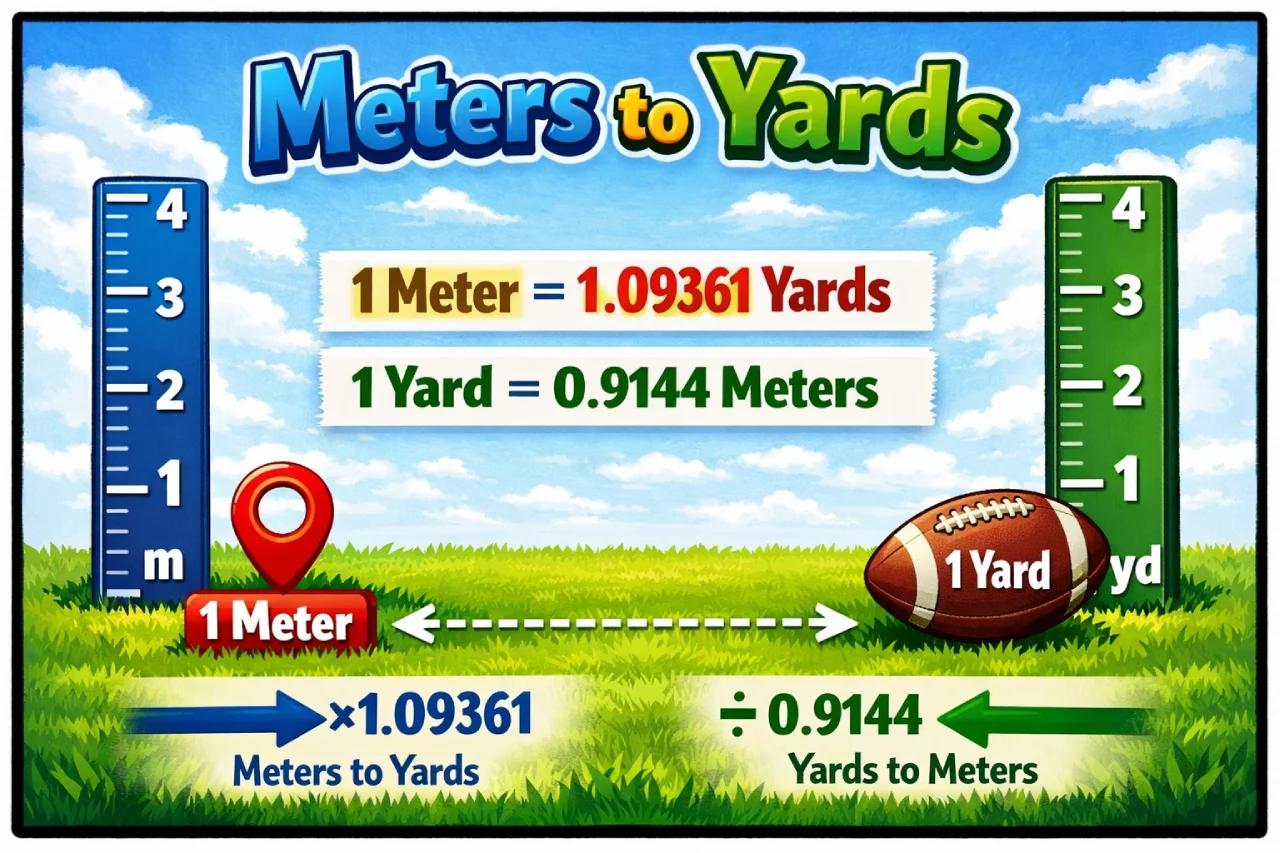
    1 meter = 1.09361 yards

    So, to convert meters to yards, simply multiply the number of meters by 1.09361.

    That’s the short version. But if you want to actually understand the conversion, use it confidently, and even estimate it in your head, this guide will walk you through everything in a clear, practical way.

    What Are Meters and Yards?

    Let’s start with the basics.

    A meter is the standard unit of length in the metric system, used almost everywhere in the world. It’s common in science, engineering, and daily measurements in most countries.

    A yard belongs to the imperial system, which is still widely used in the United States. One yard equals:

    • 3 feet
    • 36 inches

    If I had to explain it simply: meters are the global standard, while yards are more common in everyday American use.

    Because both systems are still in use, converting between them becomes important in many real-life situations.

    The Simple Conversion Formula

    Meters to Yards Converter

    Meters to Yards Converter

    Enter a value in meters to instantly convert it into yards.

    Your result will appear here
    Formula: yards = meters × 1.09361

    Here’s the core formula you need to remember:

    Yards = Meters × 1.09361

    That’s it.

    If you want a quick estimate, you can round it to:

    1 meter ≈ 1.09 yards

    Or even:

    1 meter ≈ 1.1 yards (for fast mental math)

    The more precise number (1.09361) should be used when accuracy matters.

    Step-by-Step Examples

    Let’s make this practical.

    Convert 5 meters to yards

    5 × 1.09361 = 5.46805 yards
    Rounded: 5.47 yards

    Convert 10 meters to yards

    10 × 1.09361 = 10.9361 yards
    Rounded: 10.94 yards

    Convert 25 meters to yards

    25 × 1.09361 = 27.34025 yards
    Rounded: 27.34 yards

    Once you do a few of these, the process becomes automatic.

    Quick Conversion Table

    Here’s a handy reference you can use anytime:

    MetersYards
    1 m1.0936 yd
    2 m2.1872 yd
    5 m5.4681 yd
    10 m10.9361 yd
    20 m21.8722 yd
    50 m54.6807 yd
    100 m109.361 yd

    This is especially useful when you need fast answers without calculating every time.

    Why This Conversion Matters in Real Life

    You might not think about it often, but meters-to-yards conversion shows up in more places than you’d expect.

    Sports and Athletics

    Track events are measured in meters, while American football fields use yards.

    For example, a 100-meter sprint is about 109 yards, slightly longer than a football field.

    Home Improvement and Construction

    If you’re working with international plans or buying materials online, measurements may be in meters. Converting to yards helps you match U.S. standards.

    Fabric and Sewing

    Fabric is often sold in yards in the U.S., but many global suppliers list lengths in meters. Getting the conversion right prevents costly mistakes.

    Travel and Navigation

    Most countries use metric distances, while some U.S.-based references may still use yards. Knowing both helps avoid confusion.

    Easy Mental Math Tricks

    You won’t always have a calculator. Here are a couple of tricks I personally use.

    Add 10%

    Take the number of meters and add 10%.

    Example:
    10 meters → 10 + 1 = 11 yards (approx.)

    Multiply by 1.1

    This is slightly more accurate.

    Example:
    20 meters → 20 × 1.1 = 22 yards (approx.)

    The exact answer is 21.87 yards, so this is very close.

    These tricks are perfect for quick estimates in everyday situations.

    Converting Yards Back to Meters

    Sometimes you need to reverse the calculation.

    The formula is:

    Meters = Yards × 0.9144

    Example:
    10 yards × 0.9144 = 9.144 meters

    This is especially useful when you’re working with U.S.-based measurements but need metric results.

    Visualizing the Difference

    A meter is just slightly longer than a yard.

    The difference is about 3.6 inches.

    That may not sound like much, but over longer distances, it adds up.

    For example:

    • 10 meters ≈ 10.94 yards
    • 100 meters ≈ 109 yards

    That extra length becomes noticeable in sports fields, construction, and large spaces.

    Common Mistakes to Avoid

    Even though the formula is simple, mistakes still happen.

    Using the wrong conversion factor

    Always remember: 1 meter = 1.09361 yards
    Not 1.0, not exactly 1.1.

    Over-rounding too early

    Round your answer at the end, not during the calculation.

    Mixing units accidentally

    Don’t combine meters, yards, and feet in the same calculation unless you convert them properly.

    When Precision Really Matters

    In some cases, a small difference can have big consequences.

    Engineering and Construction

    Even tiny measurement errors can cause structural problems.

    Scientific Work

    Accuracy is critical, so always use the exact conversion.

    Professional Sports

    Official measurements require precise values, not estimates.

    Manual Conversion vs Online Tools

    Yes, you can use online converters—they’re fast and reliable.

    But learning the formula gives you an advantage.

    You can:

    • Estimate quickly
    • Double-check results
    • Understand measurements better

    In my experience, knowing the logic behind conversions makes everything easier.

    Real-Life Examples You Can Picture

    Let’s connect this to everyday situations.

    • A 25-meter swimming pool → 27.34 yards
    • A 100-meter track → 109 yards
    • A 10-meter garden → 10.94 yards

    These examples make the numbers feel more real and easier to remember.

    Frequently Asked Questions (FAQs)

    How many yards are in 1 meter?

    There are 1.09361 yards in 1 meter. For quick estimates, you can use 1.09 yards.

    What is the fastest way to convert meters to yards?

    Multiply by 1.09361 for accuracy.
    For quick estimates, multiply by 1.1 or add about 10%.

    What is 100 meters in yards?

    100 meters equals 109.361 yards, or about 109.36 yards when rounded.

    Is a meter longer than a yard?

    Yes, a meter is slightly longer than a yard by about 3.6 inches.

    What is the exact formula for conversion?

    Yards = Meters × 1.09361

    This is the most accurate formula.

    How many meters are in a yard?

    There are 0.9144 meters in 1 yard.

    What is 10 meters in yards?

    10 meters equals 10.9361 yards, or about 10.94 yards.

    Why does the U.S. use yards instead of meters?

    The U.S. follows the imperial system, while most of the world uses the metric system due to historical reasons.

    When should I use exact vs approximate values?

    Use exact values for:

    • Construction
    • Engineering
    • Scientific work

    Use approximate values for:

    • Quick estimates
    • Everyday situations

    Can I convert meters to yards without a calculator?

    Yes. Add about 10% to the meter value.

    Example:
    20 meters → 20 + 2 = 22 yards (approx.)

    Final Thoughts

    Meters to yards conversion is simple once you understand the relationship.

    The key idea is:

    Multiply meters by 1.09361 to get yards.

    From sports fields to home projects, this conversion comes up more often than you might expect. And once you practice a few times, you’ll start estimating distances naturally without even thinking about it.

    Next time you see a measurement in meters, try converting it in your head—you might be surprised how quickly it becomes second nature.

  • Convert Liters to Deciliters (L to dL Formula & Examples)

    Convert Liters to Deciliters (L to dL Formula & Examples)

    If you’re looking for a quick answer, here it is:

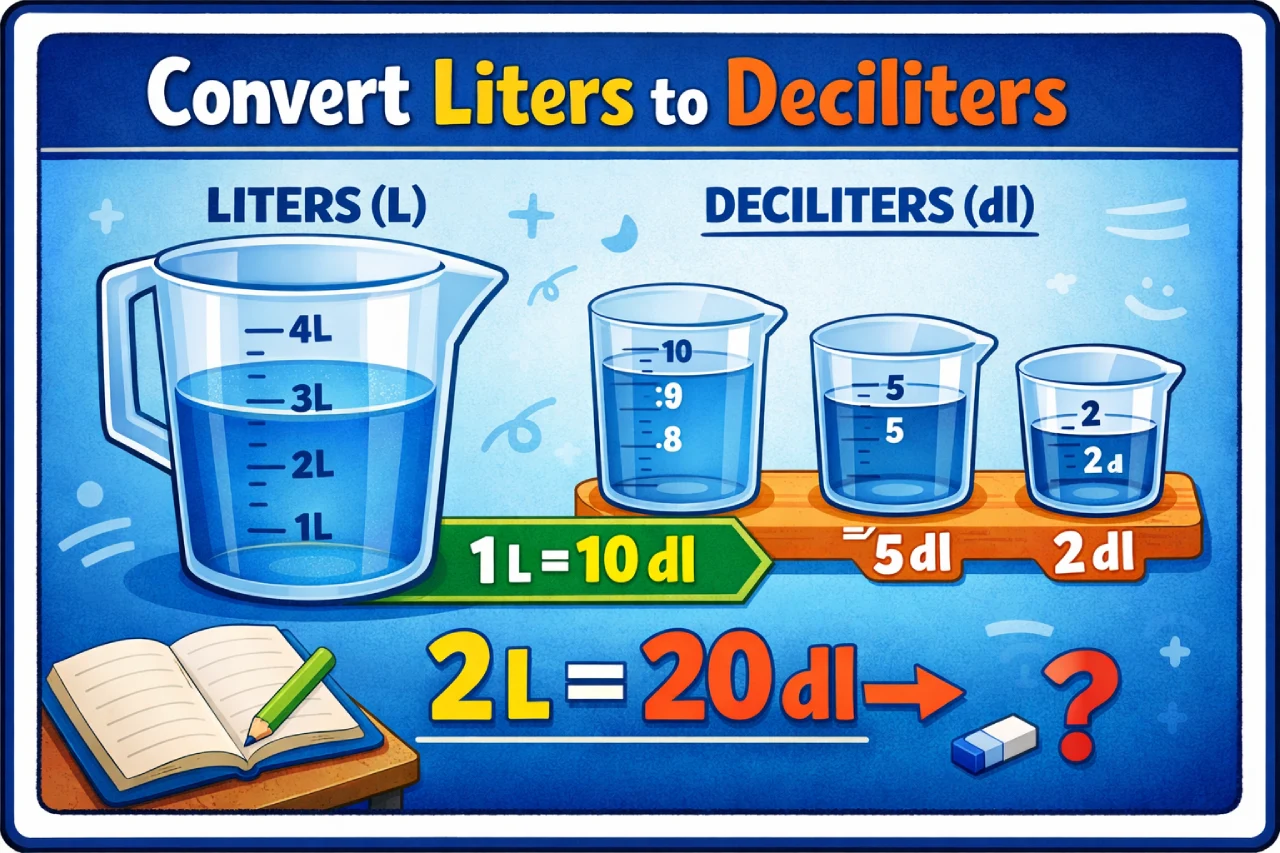
    1 liter (L) = 10 deciliters (dL)

    So, to convert liters to deciliters, simply:

    Multiply liters by 10

    That’s the entire formula. But if you want to understand why this works—and how to use it confidently in real-life situations—this guide will walk you through everything step by step.

    What Are Liters and Deciliters?

    Both liters (L) and deciliters (dL) belong to the metric system, which is used worldwide for measuring volume.

    A liter is a standard unit of volume commonly used for:

    • Beverages (like soda bottles)
    • Cooking measurements
    • Scientific and medical applications

    A deciliter is a smaller unit. The prefix “deci-” means one-tenth, so:

    • 1 deciliter = 0.1 liter
    • 10 deciliters = 1 liter

    In simple terms, deciliters break a liter into smaller, more precise portions.

    The L to dL Conversion Formula

    Liters to Deciliters Converter

    Liters to Deciliters

    Enter liters below to convert into deciliters.

    Result will appear here
    Formula: 1 Liter = 10 Deciliters

    Here’s the formula you’ll use every time:

    dL = L × 10

    That means:

    • 1 L = 10 dL
    • 2 L = 20 dL
    • 5 L = 50 dL

    It’s one of the easiest conversions in the metric system because everything is based on powers of 10.

    Step-by-Step Examples

    Let’s make this practical.

    Example 1: Convert 3 liters to deciliters

    3 × 10 = 30 dL

    Example 2: Convert 7.5 liters to deciliters

    7.5 × 10 = 75 dL

    Example 3: Convert 0.8 liters to deciliters

    0.8 × 10 = 8 dL

    Once you try a few examples, you’ll see how straightforward it is.

    Quick Conversion Table

    Here’s a handy table for quick reference:

    Liters (L)Deciliters (dL)
    0.5 L5 dL
    1 L10 dL
    2 L20 dL
    5 L50 dL
    10 L100 dL
    20 L200 dL

    This is especially useful when you need quick answers without doing calculations.

    Why This Conversion Is So Easy

    The metric system is built on base 10, which makes conversions incredibly simple.

    Each step up or down the scale is just a factor of 10.

    For example:

    • 1 liter = 10 deciliters
    • 1 liter = 100 centiliters
    • 1 liter = 1,000 milliliters

    This consistency is what makes metric conversions much easier than imperial ones.

    Real-Life Uses of Liters to Deciliters

    You might be surprised how often this conversion shows up.

    Cooking and Baking

    Some recipes—especially European ones—use deciliters instead of cups or milliliters.

    For example:

    • 2 dL of milk = 0.2 liters
    • 5 dL of water = 0.5 liters

    Understanding this conversion helps you follow recipes accurately.

    Medical and Laboratory Measurements

    Deciliters are commonly used in medical tests.

    For example, blood sugar levels are often measured in mg/dL (milligrams per deciliter).

    Knowing what a deciliter represents helps you understand these values better.

    Beverage Measurements

    Some drink containers or nutrition labels use liters, while others may use deciliters or milliliters.

    Converting between them helps you compare quantities easily.

    Mental Math Trick

    One of the easiest tricks I use:

    Just move the decimal point one place to the right.

    Example:

    • 1.2 L → 12 dL
    • 0.7 L → 7 dL
    • 3.45 L → 34.5 dL

    That’s it—no calculator needed.

    Converting dL Back to L

    Sometimes you’ll need to reverse the conversion.

    Here’s the formula:

    L = dL ÷ 10

    Example:

    • 50 dL ÷ 10 = 5 L
    • 8 dL ÷ 10 = 0.8 L

    Or simply:

    Move the decimal one place to the left

    Common Mistakes to Avoid

    Even though this conversion is simple, a few mistakes still happen.

    Confusing dL with mL

    • 1 dL = 100 mL
    • Don’t mix them up

    Moving the Decimal the Wrong Way

    • Liters → dL = move right
    • dL → liters = move left

    Overthinking It

    This is a base-10 conversion. Keep it simple.

    Comparing dL with Other Units

    Understanding where deciliters fit can make things clearer.

    • 1 L = 10 dL
    • 1 dL = 100 mL
    • 1 L = 1,000 mL

    So:

    • 5 dL = 500 mL
    • 2 dL = 200 mL

    This helps when switching between different metric units.

    Practical Example: Cooking Scenario

    Let’s say a recipe calls for 3 dL of milk, but your measuring jug shows liters.

    You convert:

    3 dL ÷ 10 = 0.3 L

    Now you know exactly how much to pour.

    This kind of quick conversion saves time and prevents mistakes in the kitchen.

    Why the Metric System Works So Well

    One thing I’ve always appreciated about the metric system is its simplicity.

    Unlike imperial units (where conversions can be messy), metric units follow a consistent pattern.

    That’s why conversions like L to dL are so straightforward.

    When Precision Matters

    In some situations, accuracy is critical.

    Medical Use

    Blood test results often use dL. A small mistake in conversion could lead to misinterpretation.

    Scientific Experiments

    Exact measurements are essential for valid results.

    Professional Cooking

    Precision can affect taste and consistency.

    In these cases, always double-check your conversions.

    Frequently Asked Questions (FAQs)

    How many deciliters are in 1 liter?

    There are 10 deciliters in 1 liter.

    What is the formula to convert L to dL?

    dL = L × 10

    How do you convert liters to deciliters quickly?

    Multiply by 10 or move the decimal one place to the right.

    What is 2 liters in deciliters?

    2 liters = 20 dL

    What is 0.5 liters in deciliters?

    0.5 liters = 5 dL

    Is a deciliter bigger than a liter?

    No. A deciliter is smaller.
    1 dL = 0.1 L

    How many dL are in 5 liters?

    5 liters = 50 dL

    How do you convert dL back to liters?

    Divide by 10 or move the decimal one place to the left.

    Why is the metric system easier to use?

    Because it’s based on powers of 10, making conversions simple and consistent.

    Where are deciliters commonly used?

    In cooking, medical measurements, and scientific applications.

    Final Thoughts

    Converting liters to deciliters is one of the simplest calculations you’ll ever do.

    The key takeaway is:

    1 liter = 10 deciliters

    Once you remember that, everything else becomes easy. Just multiply by 10 (or move the decimal point), and you’re done.

    Whether you’re cooking, studying, or working in a lab, this conversion is quick, reliable, and easy to apply in everyday situations.

    And once you’ve used it a few times, you won’t even need to think about it—it’ll just come naturally.